I was working on a data classification project a few months ago, and one of systems that needs to be classified is Confluence. The data on Confluence can be Public, Internal, Protected and Highly Protected.
I designed a solution to use Comala workflow which we have purchased already, so no more extra cost on software. The design principle are:
Data should be classified per page.
Classification should be associated with right permission settings.
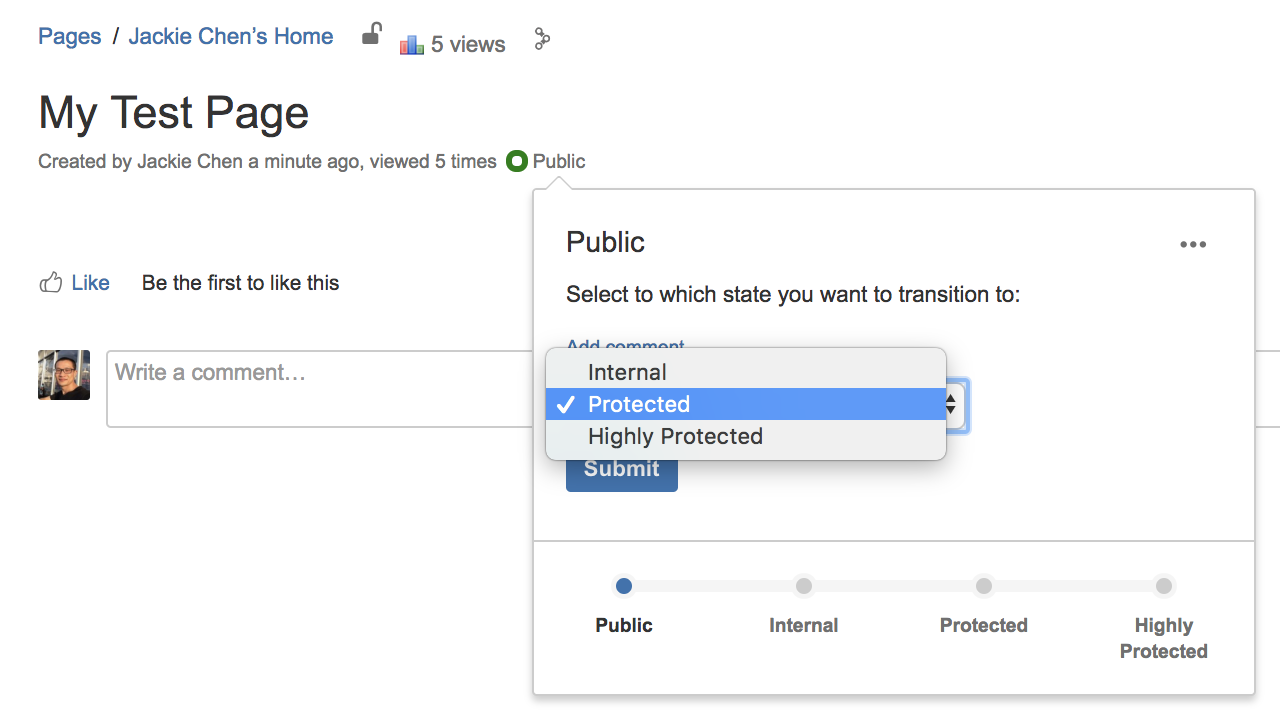
Here is a example.
A public page has no restrictions.
Now, let me re-classify it to Protected.
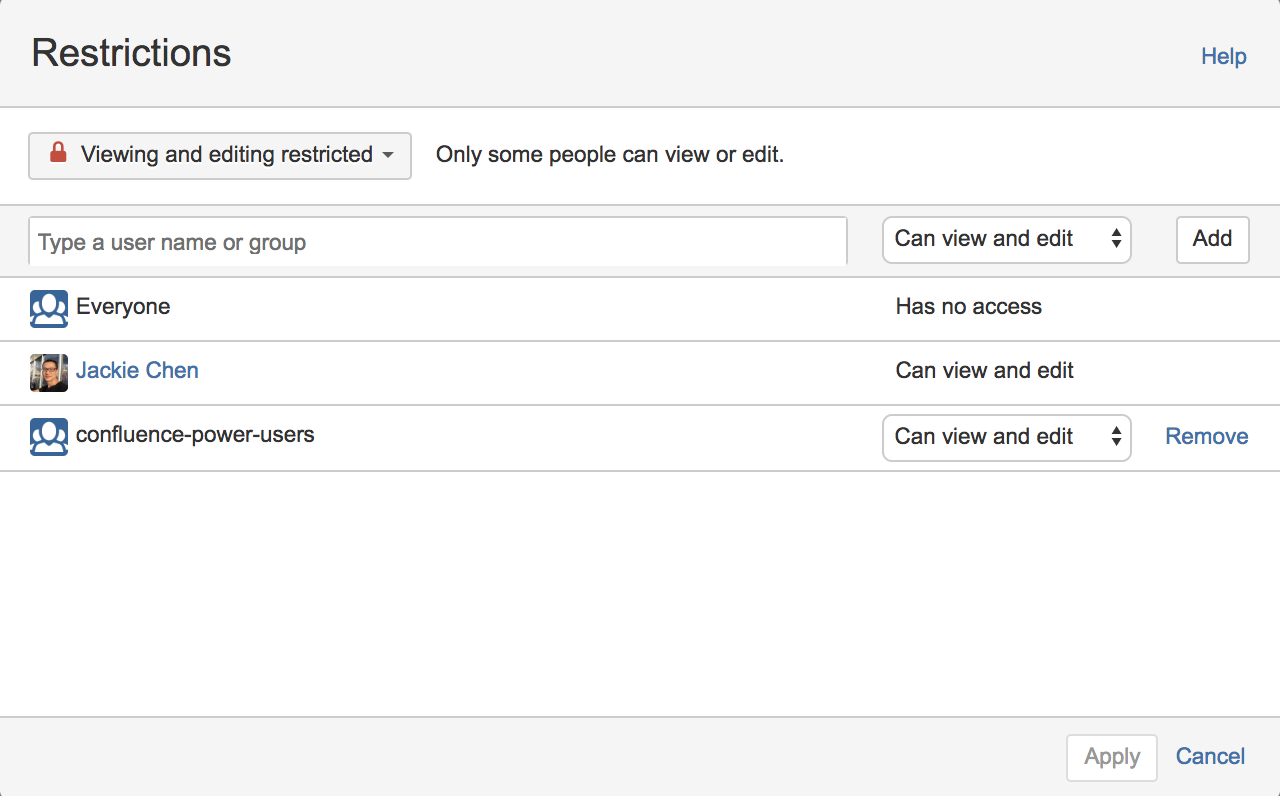
Noticed the difference after re-classification?
Now only confluence-power-users can view and edit this page.
This file contains hidden or bidirectional Unicode text that may be interpreted or compiled differently than what appears below. To review, open the file in an editor that reveals hidden Unicode characters.
Learn more about bidirectional Unicode characters



 Jackie Chen's IT Workshop
You could also use the set-restriction macro in lieu of removing to clear and then setting anew.
Comala suggests this approach with the following statement:
“Using {set-restrictions} helps avoid permissions errors in the interim period between clearing permissions and adding new permissions.”
https://wiki.comalatech.com/display/CWL/set-restrictions+macro
Thanks for sharing! Before doing it, just be aware of that it ONLY removes any existing permissions of that type.