
Continue with part one, I will show you the details of the CICD scripts and also the Bamboo plan.
Lets start with the CICD scripts, it can be found in my OpenShift-CICD repository on GitHub. The key parts are two OpenShift configuration files: build.yaml and deploy.yaml. The script is to make a copy from the template file and inject the parameters.
#!/bin/bash

# Project name
PROJECT=dilbert

# User inputs
# Build or deploy
ACTION=$1
VERSION=$2
ENVIRONMENT=$3
TAG=$(oc -n $PROJECT get is/${PROJECT} -o jsonpath={.status.tags[1].tag})

case $ACTION in
	build)
		# Verson number
		# Assume tags[0] is latest
		if [ -z "${VERSION}" ]; then
			echo Previous version is $TAG
			if [ -z "$TAG" ]; then
				PREVERSION=v0.1
			else
				PREVERSION=$TAG
			fi
			MAJVERSION=$(echo $PREVERSION | cut -d'.' -f1)
			let MINVERSION=$(echo $PREVERSION | cut -d'.' -f2)+1
			VERSION=${MAJVERSION}.${MINVERSION}
		fi
		echo ">>>>>>>>>>>>>>>>>>>>>>>>>>>>>>>>>>>>>>>>>>>>>>>>>>>>>>>>>"
		echo "You are buliding version" $VERSION
		sed -e "s/%buildversion%/${VERSION}/g" build-template.yaml > build.yaml
		if [[ $(oc -n $PROJECT get bc | grep -c ${PROJECT}) -gt 0 ]]; then
			oc replace -n $PROJECT -f build.yaml
		else
			oc create -n $PROJECT -f build.yaml
		fi
		BUILDNUBER=$(oc -n $PROJECT start-build ${PROJECT} | cut -d'"' -f2)
		echo "The build job is" $BUILDNUBER
		until [ "$BUILDSTATUS" == "Failed" ] || [ "$BUILDSTATUS" == "Complete" ] ; do
			BUILDSTATUS=$(oc -n $PROJECT get build/$BUILDNUBER -o jsonpath={.status.phase})
			echo $BUILDNUBER status is $BUILDSTATUS
			sleep 5
		done
		if [ "$BUILDSTATUS" == "Failed" ]; then echo "Oops, build failed!"; exit 1; fi
		if [ "$BUILDSTATUS" == "Complete" ]; then
			echo "Congrats! build completed!";
			oc -n $PROJECT tag ${PROJECT}:${VERSION} $PROJECT:latest
			exit 0;
			 fi
		;;
	deploy)
		if [ -z ${VERSION} ] || [ -z ${ENVIRONMENT} ]; then
			echo "You need to specify [which version] to deploy to [which environment]!"
			echo "Usage: ./pipeline.sh deploy  "
			exit 1
		fi
		if [ "${VERSION}" == "latest" ]; then VERSION=$TAG; fi
		echo ">>>>>>>>>>>>>>>>>>>>>>>>>>>>>>>>>>>>>>>>>>>>>>>>>>>>>>>>>"
		echo "You are deploying version "$VERSION "to" $ENVIRONMENT
		sed -e "s/%buildversion%/${VERSION}/g" -e "s/%imageversion%/${VERSION}/g" -e "s/%env%/${ENVIRONMENT}/g" deploy-template.yaml > deploy.yaml
		if [[ $(oc -n $PROJECT get dc | grep -c ${ENVIRONMENT}) -gt 0 ]]; then
			oc replace -n $PROJECT -f deploy.yaml
		else
			oc create -n $PROJECT -f deploy.yaml
		fi
		#oc get dc/${ENVIRONMENT} -w -o jsonpath={.status.availableReplicas}
		;;
	*)
		echo 'Usage:'
		echo 'To build : ./pipeline.sh build [version]'
		echo 'To deploy: ./pipeline.sh deploy  '
		echo 'To CI/CD: ./pipeline.sh build && ./pipeline.sh deploy latest '
		exit 1
		;;
esac
Bamboo plan works the same way, the only difference is that the parameters are from Bamboo plan variables. Just is a simple plan with 3 tasks.
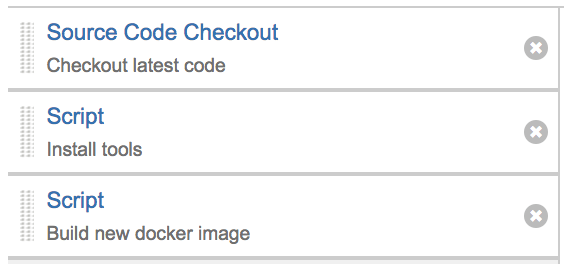
First step, checking out the source code from repository.
Second step, ensure the oc command is installed.
#!/bin/bash
tar xvzf lib/oc.tar.gz -C ~/
export PATH=$PATH:~
oc login ${bamboo.os_url} --token=${bamboo.os_password}
The last step is the pipeline script:
#!/bin/bash
export PATH=$PATH:~
cd openshift
# Project name
PROJECT=${bamboo.project}

# User inputs
# Build or deploy
ACTION=$1
VERSION=$2
ENVIRONMENT=$3
TAG=$(oc -n $PROJECT get is/${PROJECT} -o jsonpath={.status.tags[1].tag})

case $ACTION in
	build)
		# Verson number
		# Assume tags[0] is latest
		if [ -z "${VERSION}" ]; then
			echo Previous version is $TAG
			if [ -z "$TAG" ]; then
				PREVERSION=v0.1
			else
				PREVERSION=$TAG
			fi
			MAJVERSION=$(echo $PREVERSION | cut -d'.' -f1)
			let MINVERSION=$(echo $PREVERSION | cut -d'.' -f2)+1
			VERSION=${MAJVERSION}.${MINVERSION}
		fi
		echo ">>>>>>>>>>>>>>>>>>>>>>>>>>>>>>>>>>>>>>>>>>>>>>>>>>>>>>>>>"
		echo "You are buliding version" $VERSION
		sed -e "s/%buildversion%/${VERSION}/g" build-template.yaml > build.yaml
		if [[ $(oc -n $PROJECT get bc | grep -c ${PROJECT}) -gt 0 ]]; then
			oc replace -n $PROJECT -f build.yaml
		else
			oc create -n $PROJECT -f build.yaml
		fi
		BUILDNUBER=$(oc -n $PROJECT start-build ${PROJECT} | cut -d'"' -f2)
		echo "The build job is" $BUILDNUBER
		until [ "$BUILDSTATUS" == "Failed" ] || [ "$BUILDSTATUS" == "Complete" ] ; do
			BUILDSTATUS=$(oc -n $PROJECT get build/$BUILDNUBER -o jsonpath={.status.phase})
			echo $BUILDNUBER status is $BUILDSTATUS
			sleep 5
		done
		if [ "$BUILDSTATUS" == "Failed" ]; then echo "Oops, build failed!"; exit 1; fi
		if [ "$BUILDSTATUS" == "Complete" ]; then
			echo "Congrats! build completed!"
			echo ${VERSION} > VERSION
			oc -n $PROJECT tag ${PROJECT}:${VERSION} $PROJECT:latest
			exit 0;
			 fi
		;;
	deploy)
		if [ -z ${VERSION} ] || [ -z ${ENVIRONMENT} ]; then
			echo "You need to specify [which version] to deploy to [which environment]!"
			echo "Usage: ./pipeline.sh deploy  "
			exit 1
		fi
		if [ "${VERSION}" == "latest" ]; then VERSION=$TAG; fi
		echo ">>>>>>>>>>>>>>>>>>>>>>>>>>>>>>>>>>>>>>>>>>>>>>>>>>>>>>>>>"
		echo "You are deploying version "$VERSION "to" $ENVIRONMENT
		sed -e "s/%buildversion%/${VERSION}/g" -e "s/%imageversion%/${VERSION}/g" -e "s/%env%/${ENVIRONMENT}/g" deploy-template.yaml > deploy.yaml
		if [[ $(oc -n $PROJECT get dc | grep -c ${ENVIRONMENT}) -gt 0 ]]; then
			oc replace -n $PROJECT -f deploy.yaml
		else
			oc create -n $PROJECT -f deploy.yaml
		fi
		#oc get dc/${ENVIRONMENT} -w -o jsonpath={.status.availableReplicas}
		;;
	*)
		echo 'Usage:'
		echo 'To build : ./pipeline.sh build [version]'
		echo 'To deploy: ./pipeline.sh deploy  '
		echo 'To CI/CD: ./pipeline.sh build && ./pipeline.sh deploy latest '
		exit 1
		;;
esac
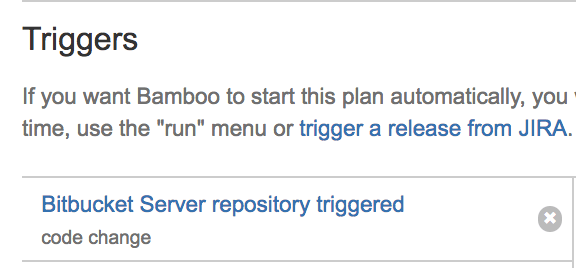
Add a trigger to the plan to allow automated build when changes are committed.
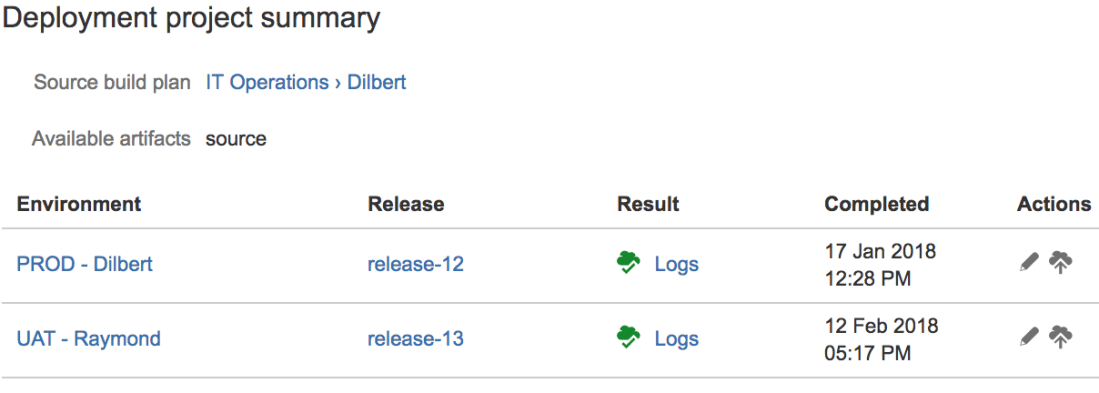
Also create a associated deployment with two environments: UAT and PROD. We want UAT environment to always use the latest build automatically, but PROD needs a manual deployment only after users are happy with the UAT test.
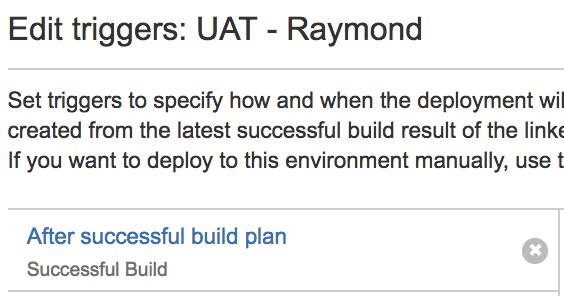
And add a trigger for the UAT.
For PROD, I can use whichever release that I am happy with to deploy into production,
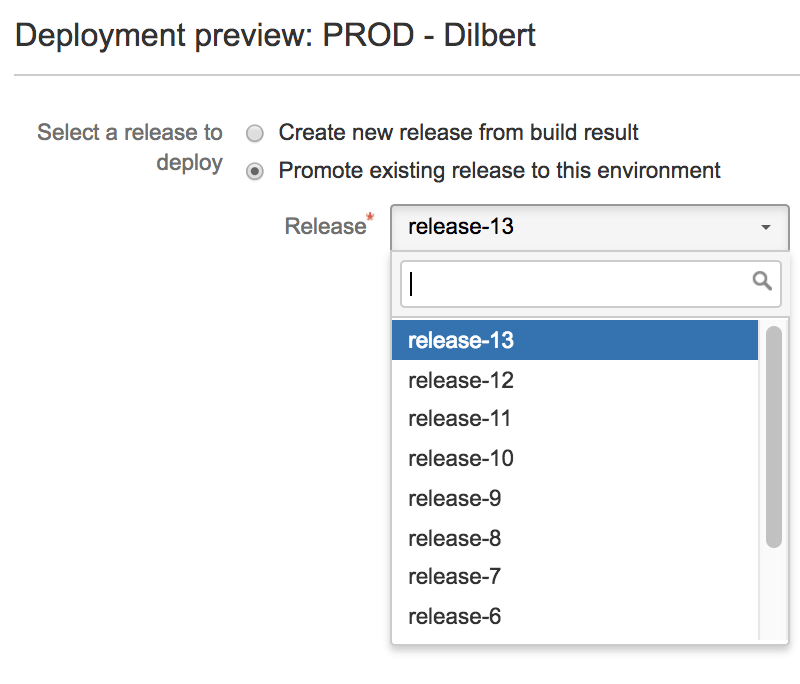
In summary, the rule of thumb is that you only build image once for each release. This ensures the same binary/ docker image that runs in different environments (dev, uat … prod). And follow the environment promotion path to deploy the binary/ docker image from dev all the way to production.
 Jackie Chen's IT Workshop