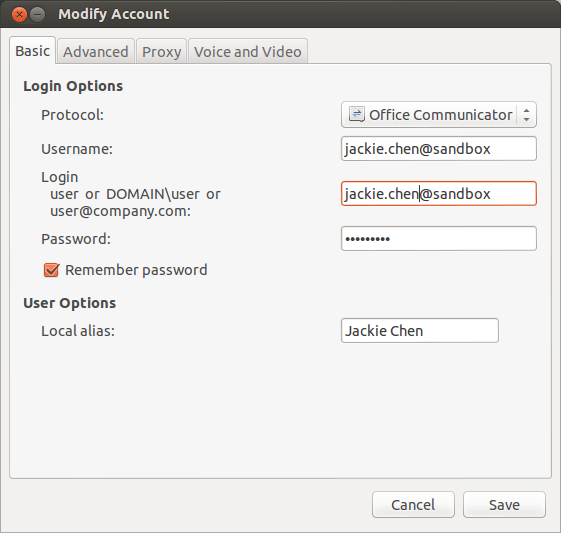
Connect Lync in Pidgin Jackie Chen Linux April 17, 2013June 21, 2013 1 Minute I finally made Lync work in Ubuntu. Here is the steps: 1) Install the SIPE plugin – ‘sudo apt-get install pidgin-sipe’. 2) Run ‘NSS_SSL_CBC_RANDOM_IiV=0 pidgin &’. 3) Add the Lync account, then enable it. Share this: Share on LinkedIn (Opens in new window) LinkedIn Share on X (Opens in new window) X Share on Facebook (Opens in new window) Facebook Email a link to a friend (Opens in new window) Email More Print (Opens in new window) Print Share on Reddit (Opens in new window) Reddit Like Loading... Related Published by Jackie Chen View all posts by Jackie Chen Published April 17, 2013June 21, 2013

 Jackie Chen's IT Workshop