
In this article, I will demonstrate how to build a Hubot bot on OpenShift. Four key take-away points.
- Create secret for git clone
- Use docker strategy to build if you prefer Dockerfile over S2I
- Inject environment variables from ConfigMap
- If needed, you can replace the FROM or CMD that defined in Dockerfile during deployment.
In my example, I have a Hubot based bot named Dilbert, and the source code is in a private GitHub repository.
First step, setup a secret to save the GitHub credential that will be used for cloning the project
oc secrets new-basicauth openshift-bot-github --username=openshift-bot --password=******
Second step, create a ImageStream in your project. That’s where we are going to push the build image. I just name it dilbert.
apiVersion: v1
kind: ImageStream
metadata:
  annotations:
    description: Dilbert image
  name: dilbert
Third step, create the Dockerfile. To avoid the conflict with the Dockerfile in the build image, you can NOT name it as Dockerfile. I just name it as MyDockerfile in this example.
FROM ubuntu

RUN apt-get update
RUN apt-get -y install expect nodejs npm
RUN ln -s /usr/bin/nodejs /usr/bin/node

RUN npm install -g coffee-script
RUN npm install -g yo generator-hubot

RUN useradd -d /dilbert -m -s /bin/bash -U default
USER default
WORKDIR /dilbert
COPY . .
RUN yo hubot --owner="DevOps" --name="Dilbert" --description="DevOps Bot" --defaults
RUN npm install

CMD bin/hubot -a slack
Forth step, setup your BuildConfig. Use the secret that is created in step 1 to check out codes.
apiVersion: v1
kind: BuildConfig
metadata:
  name: dilbert
  namespace: dilbert
  labels:
    app: dilbert
  annotations:
    description: DevOps Bot
spec:
  triggers:
    - type: ConfigChange
  source:
    type: Git
    git:
      uri: 'https://github.com/jc1518/dilbert.git'
    sourceSecret:
      name: openshift-bot-github
  strategy:
    type: Docker
    dockerStrategy:
      dockerfilePath: MyDockerfile
  output:
    to:
      kind: ImageStreamTag
      name: 'dilbert:latest'
    pushSecret:
      name: builder-dockercfg-w3dn0
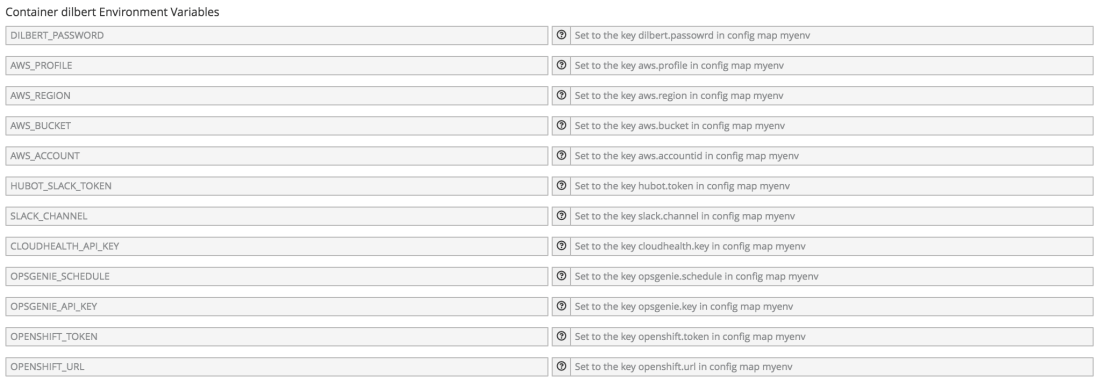
Fifth step, create a ConfigMap to save some credentials that the Bot reads from the environment variables.
apiVersion: v1
kind: ConfigMap
metadata:
  name: myenv
  namespace: dilbert
data:
  aws.profile: 'myaws'
  aws.region: 'ap-southeast-2'
  hubot.token: 'xxxx-1234567-890abcdefg'
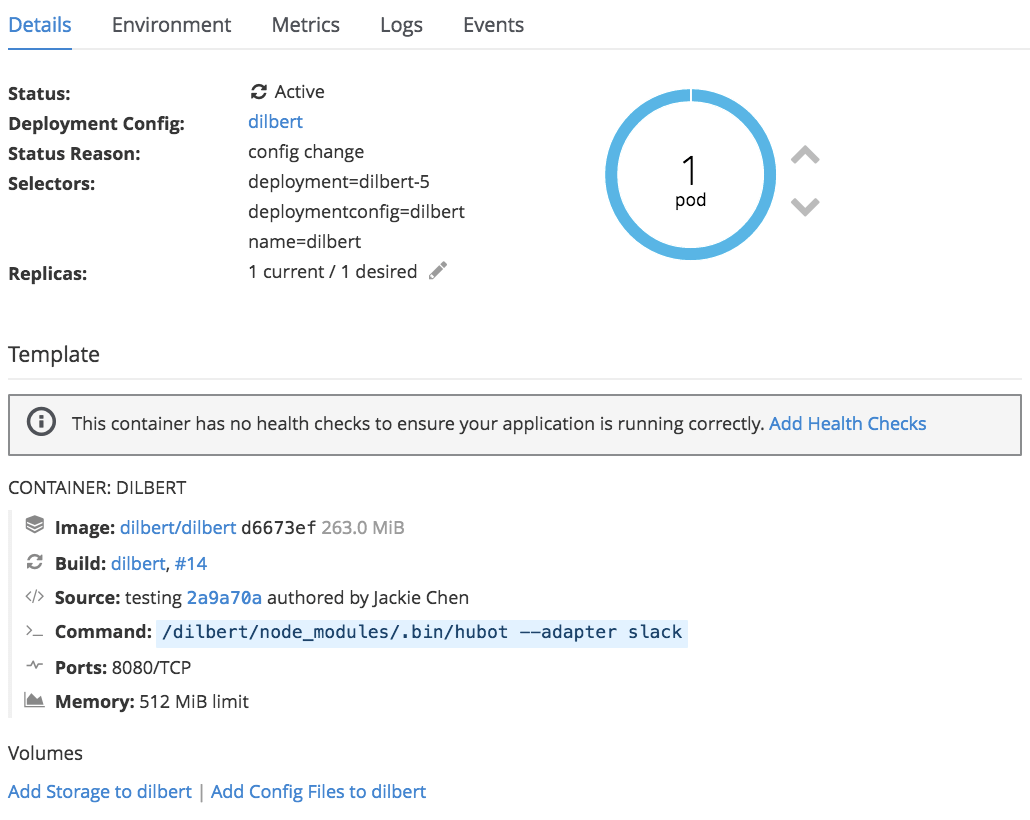
The last step is the DeploymentConfig. I need to overwrite the command that is defined in the image, otherwise you will get the error like ‘EACCES: permission denied’. This is because OpenShift has very strict security settings of running containers which does not allow the default bin/hubot script to run ‘npm install’.
apiVersion: v1
kind: DeploymentConfig
metadata:
  annotations:
    description: Defines how to deploy dilbert bot
  name: dilbert
spec:
  replicas: 1
  selector:
    name: dilbert
  strategy:
    recreateParams: null
    type: Recreate
  template:
    metadata:
      labels:
        name: dilbert
      name: dilbert
    spec:
      containers:
        - env:
            - name: AWS_PROFILE
              valueFrom:
                configMapKeyRef:
                  name: myenv
                  key: aws.profile
            - name: AWS_REGION
              valueFrom:
                configMapKeyRef:
                  name: myenv
                  key: aws.region
            - name: HUBOT_SLACK_TOKEN
              valueFrom:
                configMapKeyRef:
                  name: myenv
                  key: hubot.token
          image: null
          name: dilbert
          command: [ '/dilbert/node_modules/.bin/hubot','--adapter','slack' ]
          ports:
            - containerPort: 8080
          resources:
            limits:
              memory: 512Mi
  triggers:
    - type: ImageChange
      imageChangeParams:
          automatic: true
          containerNames:
            - dilbert
          from:
            kind: ImageStreamTag
            name: 'dilbert:latest'
    - type: ConfigChange
This is how it looks like in my environment:

 Jackie Chen's IT Workshop