
By default, the AD LDS inherits the password policy from the AD domain. In some scenarios, you may want to block it. Here are two ways to do it:
1) Use ADSI Edit tool, and navigate to the ‘CN=Directory Service, CN=Windows NT, CN=Services, CN=Configuration, CN={guid}’ set ‘ADAMDisablePasswordPolicies=1’ in the Attributes.
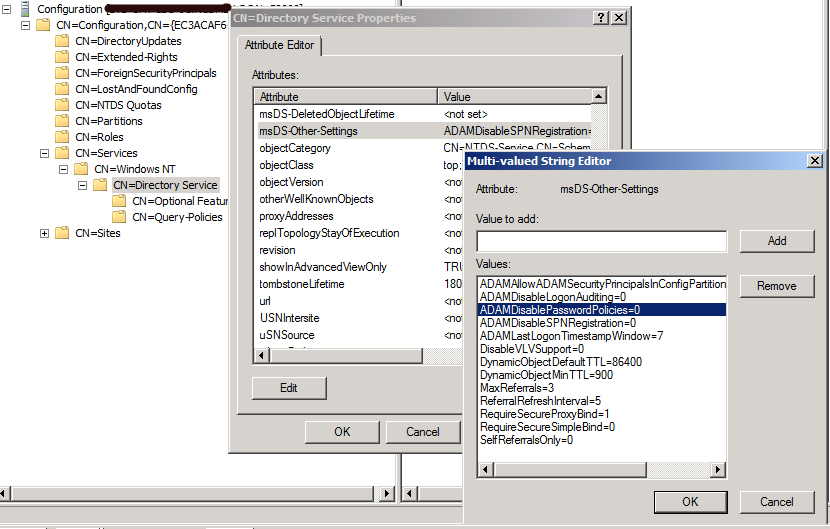
2) dsmgmt command
dsmgmt “Configurable Settings” Connections “connect to server localhost:389” q “Set ADAMDisablePasswordPolicies to 1” “Commit changes” q q
 Jackie Chen's IT Workshop