
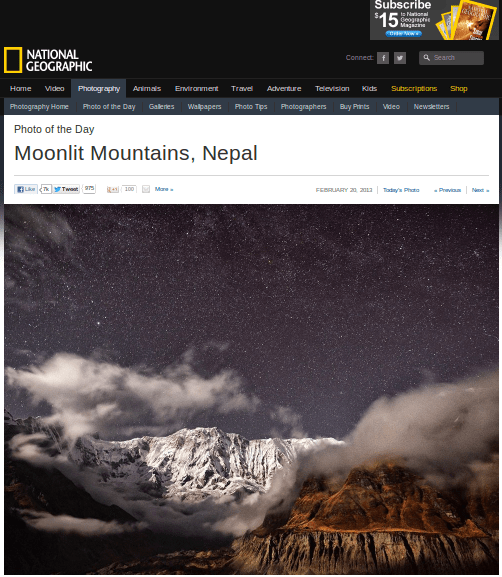
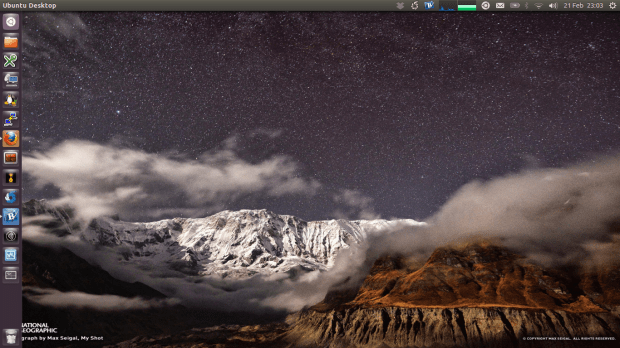
My inspiration of the ‘Wallpaper of the Day’ comes from the Nation Geographic Photo of the Day. National Geographic recommends an amazing photo each day on this web site. I wrote a bash script to automatically set the photo as my desktop background everyday when I start my Ubuntu laptop.
Create the following script then add it to the start up program.
#!/bin/bash
# clear cache
rm -f /home/jchen/Pictures/wall.jpg
rm -f /home/jchen/Pictures/photo-of-the-day

# download photo-of-the-day page
wget http://photography.nationalgeographic.com/photography/photo-of-the-day -O /home/jchen/Pictures/photo-of-the-day

# check if there is a high resolution copy
if grep '1600 x 1200 pixels' /home/jchen/Pictures/photo-of-the-day; then
        url=`cat /home/jchen/Pictures/photo-of-the-day | grep '1600 x 1200 pixels' | cut -d'"' -f4`
else
        let line=`cat /home/jchen/Pictures/photo-of-the-day | grep -n '<div class="primary_photo">' | cut -d':' -f1`+5
        url=`sed -n "$line p" /home/jchen/Pictures/photo-of-the-day | cut -d' ' -f2 | cut -d '"' -f2`
fi

# download the photo
wget $url -O /home/jchen/Pictures/wall.jpg

# set the desktop background
gsettings set org.gnome.desktop.background picture-uri 'file:///home/jchen/Pictures/wall.jpg'

 Jackie Chen's IT Workshop